English
 Español
 Português
 русский
 Français
 日本語
日本語 Deutsch
 tiếng Việt
 Italiano
 Nederlands
 ภาษาไทย
 Polski
 한국어
한국어 Svenska
 magyar
 Malay
Malay বাংলা ভাষার
 Dansk
Dansk Suomi
Suomi हिन्दी
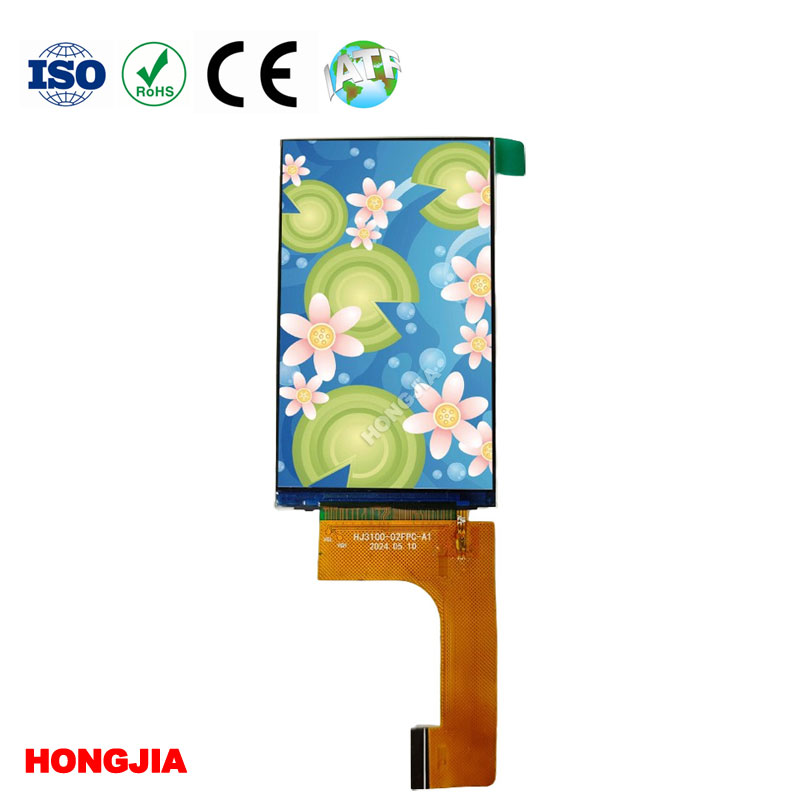
A 3.1 inch TFT LCD RGB interface is a compact display architecture in which a low-speed serial link configures the panel controller and a parallel RGB bus sends the live image. In the HONGJIA configuration discussed here, the module combines a 480×800 portrait IPS panel, 3-wire SPI control, RGB565 pixel data, an ST7701S driver IC, a 39-pin plug-in connection, 500 cd/m² luminance, a white LED backlight, and a narrow metal frame.
That combination makes sense when you need a sharp portrait screen and your processor can generate a continuous RGB video stream. It’s a poor choice if your host only has basic SPI, lacks a display controller, or needs the panel to retain a complete image without continuous pixel output.
The short answer: use it when a compact portrait device can support SPI setup and an RGB565 video stream
Choose this display class for a compact device that benefits from 480×800 resolution but still has enough processor resources, pins, memory bandwidth, and board space for parallel RGB. A host processor with an LCD controller is usually the cleanest fit. An FPGA or a suitable display bridge may also work, but each adds development effort and another component to qualify.
Don’t read “SPI plus RGB” as meaning the image can automatically be sent over either interface. On this type of 3.1-inch TFT LCD RGB interface, the two links normally perform different jobs. SPI handles register configuration; RGB carries active pixel data. That distinction should be settled before schematic capture, not during prototype bring-up.
The 3-wire SPI link configures the ST7701S, while RGB565 carries the live 480×800 image
The ST7701S driver IC needs an initialization sequence that sets operating modes, display timing, power-related parameters, orientation, and other panel-specific registers. The 3-wire SPI connection provides that command path. RGB565 then represents each pixel with five red bits, six green bits, and five blue bits across a 16-bit parallel data bus.
This division is useful because configuration traffic is light, while image traffic is continuous and much heavier. It also creates a common purchasing mistake: seeing “SPI” in a summary specification and assuming a small microcontroller can refresh the entire screen through a few serial pins. Confirm the interface description and initialization package against the supplier’s current controlled datasheet.
What firmware must handle during reset, initialization, and display bring-up
Firmware must control the reset sequence, observe required delays, transmit the approved ST7701S command table, and enable the display in the correct order. The backlight should generally remain off until valid image data is present; otherwise, users may see a bright white field, random lines, or a partial frame during startup.
Store the initialization table under revision control. A command list copied from another ST7701S panel isn’t automatically valid because glass characteristics, power settings, scanning direction, and timing can differ. Firmware should also recover cleanly after brownouts or host resets rather than assuming the panel stayed in its configured state.
What the RGB host must provide for pixel timing, synchronization, and continuous frame output
The host must output RGB565 data with the required pixel clock and synchronization scheme. Depending on the documented mode, that may involve data-enable timing, horizontal and vertical synchronization signals, or a defined combination. Front porch, back porch, pulse width, signal polarity, and clock edge must match the approved timing table.
A valid connector pin count doesn’t prove the processor can drive the screen. Check that the host exposes the required RGB data and control signals at compatible logic levels. It must also sustain frame output without starving the display while the processor handles its main workload. Symptoms of an under-specified host include tearing, flicker, unstable colors, shifted images, and intermittent blanking.
A 39-pin plug-in connection does not guarantee electrical or mechanical compatibility
Two modules can both use 39 contacts and still be incompatible. Pin numbering may start from the opposite side, supply pins may occupy different positions, and one panel may require signals that another leaves unused. Connector pitch, contact orientation, insertion direction, FPC thickness, stiffener dimensions, and bend clearance can also stop an apparently suitable display from fitting.
Never route a production PCB from a marketplace photo or abbreviated web table. Obtain the released drawing and pin assignment for the exact module revision, then have electrical and mechanical engineers review the same document.
Verify the current pinout, voltage rails, logic levels, timing, backlight drive, FPC geometry, mating connector, and operating-temperature range
Review every power rail and its sequencing requirements, not just the main supply. Confirm input thresholds against the host processor’s I/O voltage. The white LED backlight needs an appropriate constant-current driver; it shouldn’t be connected directly to a logic output.
Mechanically, compare the full outline, active area, viewing area, frame height, FPC exit location, connector footprint, and nearby component keep-outs. If your enclosure leaves the cable under tension, repeated flexing can crack conductors near the stiffener. Operating-temperature capability must come from the module specification as well. IPS describes viewing behavior, not wide-temperature qualification.
How 480×800 IPS, 500 cd/m² luminance, and a narrow frame affect endoscopes, handheld instruments, consumer devices, and game controllers
A 480×800 portrait IPS display can show fine menus, measurement traces, status icons, or camera imagery in a small front-panel opening. IPS is especially useful where the display is viewed off-axis, such as a handheld instrument that tilts during use. The narrow frame helps reduce enclosure width, although you still need enough support around the module to prevent glass stress.
For endoscope equipment, resolution and viewing angle are useful, but they don’t establish medical suitability. The finished device still needs its own risk assessment, image-chain validation, cleaning strategy, electrical safety work, and applicable regulatory review. Confirm latency, color behavior, and image orientation with the actual camera pipeline.
Handheld instruments gain a dense user interface, but continuous RGB output and a 500 cd/m² backlight can place pressure on battery life and thermal design. Consumer devices and game controllers may value the viewing angle and fine graphics; designers should still test motion, touch latency if a CTP is added, and frame stability under full processor load.
Five hundred cd/m²—often described as 500 nits—is bright for many indoor and controlled-light applications. It should not be treated as proof of sunlight readability. Outdoor performance also depends on cover-lens reflections, air gaps, surface treatments, optical bonding, contrast, and backlight power. Test a complete assembly under the intended lighting rather than approving the bare-panel number.
Design approval requires controlled documents, qualification samples, and clear revision ownership
Approve the module as a documented component, not as a screen that happened to work on one bench. Start with samples built to the proposed production revision and test them using your own PCB, cable routing, enclosure, power supply, firmware, and backlight settings. Include cold start, warm operation, repeated resets, power interruption, extended image display, viewing-angle checks, and the environmental conditions relevant to the finished product.
Revision ownership matters because a driver IC, FPC, backlight stack, polarizer, or frame change can affect firmware, optics, EMC behavior, and fit. Your purchasing specification should identify which changes require prior notification and requalification.
Request an English datasheet, RGB timing diagrams, initialization commands, mechanical drawings, revision history, and applicable compliance evidence—while separating module-level RoHS records, supplier ISO certificates, and end-product CE, FCC, or UL responsibilities
Request a controlled English datasheet, complete pinout, RGB timing diagrams, ST7701S initialization commands, dimensioned mechanical drawings, connector information, sample revision, and change history. HONGJIA’s 3.1-inch IPS module specification is a useful starting point, but production approval should rely on the latest documents issued for your order.
Keep compliance claims in their proper scope. A module-level RoHS declaration addresses restricted substances; it doesn’t certify the finished product. A supplier’s ISO certificate concerns its management system, not your device’s regulatory approval. CE, FCC, UL, medical, automotive, and other obligations depend on the end product, target market, application, and responsible manufacturer.
Go/no-go checklist: sample validation, sunlight and power limits, warranty, lifecycle supply, technical support, and any requested FPC, backlight, frame, driver IC, or touch customization
- Go if your host can initialize the ST7701S and continuously output the documented RGB565 timing without display artifacts.
- Go only after production-revision samples pass optical, electrical, mechanical, thermal, reset, and workload testing in the real enclosure.
- Stop if 500 cd/m² is being accepted as sunlight-readable performance without testing the finished lens and display stack outdoors.
- Confirm backlight power, battery-life impact, warranty terms, lifecycle expectations, change-notification rules, small-order availability, and access to FAE support.
- Document the approved pinout, FPC geometry, mating connector, frame, driver IC, firmware table, and operating-temperature range.
- Requalify requested FPC, backlight, frame, driver IC, CTP touch, or other customization. Even a small mechanical change can alter tooling, lead time, minimum order requirements, reliability, and regulatory evidence.